Mashup song involves precise timing, rhythm adjustments, and vocal editing—it's incredibly complex.
This is why music mashup maker, especially AI mashup maker, are becoming increasingly important. They allow ordinary people to easily create AI song mashups.
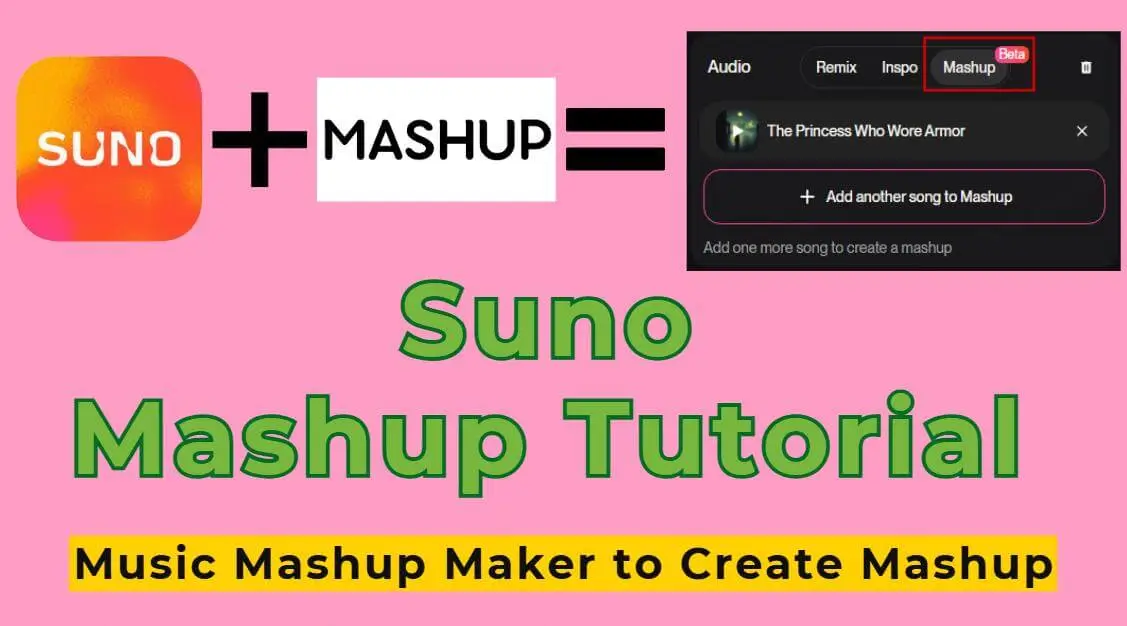
Especially with Suno's recent launch of its Mashup feature, many people are eager to learn how to use it. I've compiled its tutorials and 3 excellent music mashup makers.
Let's learn AI music mashup together!
Introduction
Part 1. Suno Mashup: Best AI Mashup Maker Right Now
Suno Mashup is a new feature of Suno that can:
Mashup 2 different songs, automatically analyze rhythm, pitch, and style, and merge them into a completely new track.
Allows you to drag or upload any Suno tracks or links into the mashup interface for merging.
Can mix styles, beats, and even lyrics to create a true AI song mashup.
This represents a groundbreaking evolution in AI mashup maker.
1 How to Make an AI Song Mashup with Suno (Step-by-Step)
Step 1 Open the Suno Mashup interface. There are 3 options:
1. Drag the Suno song you created on the right into the left editing panel and select "Mashup".
2. Select the song you want to mix and match, then select "Mashup" under "Remix/Edit".
3. Select "+Audio" button, upload a non-copyrighted song from your local drive, select "Cover", and then click "Mashup".

Step 2 Add another song want to mashup. You can choose one from your own music library, or paste a Suno link into the Everything page as the source.

Step 3 Adjust the lyrics. You can choose one of the songs as the lyrics for the mashup, or choose "Mashup Lyrics".

Step 4 Input style hints. Enter the desired mashup style in the hint box, or leave it blank.
Step 5 Adjust advanced options. For more control, open "Advanced Options," select "Vocal Gender" as needed, and adjust the weirdness, style influence, and audio influence levels.

Step 6 After clicking the “Create” button, you will get 2 mashup songs, which will still deduct 4 credits.
2 Practical Tips for Better Suno Mashups
For many users, Suno's Mashup feature is a completely new experience. However, to make your AI song mashup sound more professional and coherent, here are some practical tips:
Manually edit lyrics: If you simply let Suno randomly merge the lyrics of two songs, the result may be chaotic and illogical.
Control song length: In my experience, Suno mashups tend to automatically stop around 5 minutes. If the song you're using for mashup is very long, it's advisable to keep only the most crucial sections.
Choose songs with similar rhythms and keys: If the two songs differ too much in BPM and key, Suno will struggle to handle the tempo and harmony during automatic merging.
Adjust parameters to 50%: Based on my experience and community feedback, setting the parameters to 50% will yield better mashup results.
Try multiple times and synthesize in segments: You can first merge the two segments separately and generate a mashup version, and then let the AI merge these generated segments to increase the coherence.
- Community feedback
- While the results weren't always flawless, it certainly sounded like a "new creative work" rather than a mechanical stacking.
- The mashup feature is mind blowing is the best music I've ever heard in any genre my entire life.
Part 2. 3 Music Mashup Makers Worth Trying
Suno isn't the only option. Next, I'll introduce 3 practical music mashup makers to help you create music mashups more easily in different scenarios.
1 RaveDJ
Site: https://rave.dj/
RaveDJ is currently the most popular AI mashup maker. You can directly input two song titles or paste YouTube or Spotify links to create a complete DJ mix.
It supports automatic tempo and pitch adjustment, making the mixed music sound more natural and smooth.
However, it has many ads which can interrupt the experience and it’s performance is also somewhat unstable.

- Make music mashup online free.
- AI automatically analyzes and generates mashups.
- Intelligently matches rhythm and key.
- Add tracks using song titles, YouTube and Spotify links, etc.
- Choose between a two-song mashup or a multitrack DJ mixes.
How to use RaveDJ to create an AI song mashup?
Step 1 Access RaveDJ and click "Create".
Step 2 Enter the song source. Input the song title and paste the YouTube or Spotify link in the input box.
Step 3 Choose to Mashup two songs together or Mix many songs into a DJ set.
Step 4 After the generation is complete, you can listen to it online and choose to download or share the mashup result.
2 Audiocleaner AI
Site: https://audiocleaner.ai/ai-mashup-maker
Audiocleaner AI is a free online AI Mashup Maker that helps you easily merge two or more songs into a mashup track.
Simply upload your audio files or provide online music links, and it will intelligently integrate them into a new mix, perfect for beginners.
Audiocleaner AI is designed for bloggers and short video creators, making it ideal for users who want to make music mashups online free and quickly experiment with mixing effects.

- Complete music mashups online without downloading software.
- Automatically separates vocals and instruments.
- Provides real-time preview.
- AI-powered automatic mashup tracks.
- Simple operation, suitable for beginners.
How to use Audiocleaner AI to create an AI song mashup?
Step 1 Click the "My Device" option and upload the two or more audio files you want to mix. MP3 and WAV formats are supported.
Step 2 Click the "Audio Equalizer" button and adjust parameters such as BMP for both songs.
Step 3 Click "Mashup Song" and wait for AI processing.
3 DJ.Studio
Site: https://dj.studio/home-100
DJ.Studio is an AI mashup maker designed for DJs and music producers, seamlessly integrating with other DJ tools and software.
It boasts powerful AI capabilities, yet you can still manually adjust BPM, fine-tune pitch settings, and experiment with different arrangements.
Therefore, it's ideal for users with some musical experience and a relatively gentle learning curve, especially those who want more control.

- AI-driven mashup music creation.
- Automatic BPM and pitch matching.
- Customizable transition effects.
- High-quality vocal and instrument separation.
- User-friendly interface, easy to use.
How to use DJ.Studio to create an AI song mashup?
Step 1 Drag or upload the track you want to mashup.
Step 2 Wait for AI to automatically analyze and provide BPM and key adjustment suggestions. You can also manually adjust using the sliders.
Step 3 Separate vocals and instruments. Then drag it into the timeline to align the beats.
Step 4 Add transition effects such as reverb, delay, or equalizer.
Step 5 Preview your mashup and export it to your desired format.
Part 3. Create Mashup-Ready Songs with Tunesona [Free]
Often, the real obstacle to mashups is the lack of suitable song material. This could be due to copyright restrictions or mismatched styles and rhythms.
Therefore, I will introduce a tool that allows you to create mashup-ready songs for free, making AI music mashups simpler from the outset.
Tunesona - Create Music by Chatting
Tunesona is a powerful ai chatbot for music that helps you create raw music material suitable for mashups. Simply express your ideas through chat, and Tunesona will understands your intentions and generates melodies, harmonies, and even complete song fragments.
These music materials are easier to blend with other tracks in terms of style and rhythm. It's ideal for creators who want to create songs without copyright restrictions and produce AI music mashups.

- Specify style and theme.
- Support customizable rhythm and song structure.
- Create mashup-ready music through dialogue.
- Generate copyright-friendly music that suitable for AI music mashups.
- Supports multiple formats for further processing in music mashup maker.
How to mashup-ready music with Tunesona?
Step 1 Visit the Tunesona and claim your free creation credits.
Step 2 Choose a creation mode. You can directly enter simple ideas in the chat box, select different options to create mashup-ready music, or use the custom mode for better control. Even upload reference audio to create songs in a similar style.

Step 3 Create songs by chatting with Tunesona.
Step 4 Download your mashup-ready music. You can choose MP3, WAV, or MIDI formats. Vocal and instrumental versions are available upon request.
Part 4. FAQs About Music Mashup Maker
1 What is a music mashup maker?
A music mashup maker is a tool used to merge two or more different songs to create a new mashup. It can automatically align rhythms, keys, and melodies, making the mix sound smooth and natural.
2 What's the difference between AI mashup maker and traditional music mashup maker?
Traditional music mashup makers typically require manual editing, rhythm alignment, pitch adjustment, and mixing. AI mashup makers, however, use AI to automatically analyze and generate mashups, significantly lowering the barrier to entry.
3 Can I make music mashups online?
Yes, many music mashup makers support online operation, allowing you to create mashups without downloading software.
4 How can I create a mashup of songs?
Select two or more songs with similar BPM or key. Use a music mashup maker to separate vocals and instruments and automatically align beats. Add transitions to make the mashup more natural. Using an AI mashup maker can make this process simpler and more efficient.
Conclusion
Music Mashup Maker makes mashup creation no longer just a game for DJs or professional producers.
Even if you have no experience, you can easily turn your ideas into complete mixed music works with AI Mashup Maker.
And Suno Mashup is truly powerful and fun, plus the original music materials provided by Tunesona, I'm sure you won't be able to stop playing!