Have you ever thought about extracting vocals from a song? That way you can play different melodies freely.
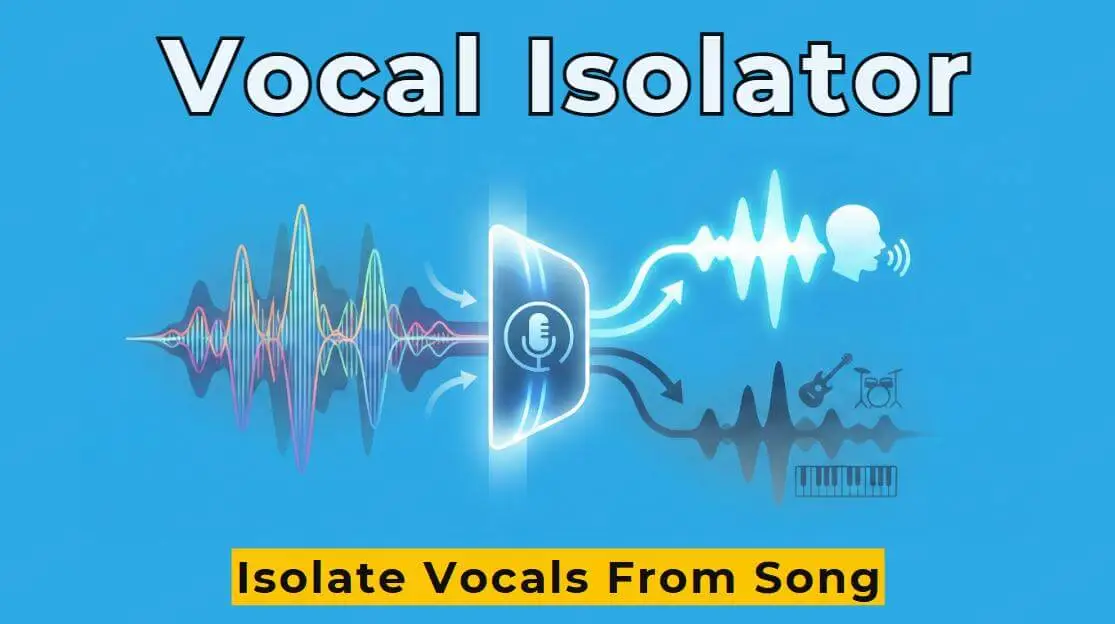
I've also struggled with how to isolate vocals from a song. Then I discovered AI vocal isolators, which can help me separate vocals from instruments in any song.
The following 3 vocal isolators are carefully selected after extensive use, each with its own unique features. I also provide a detailed comparison table to help you select based on your needs and budget.
Part 1. 3 Truly Useful AI tools That Isolate Vocals from Song
1 Tunesona
Unlike other tools, Tunesona doesn't simply extract vocals from existing songs, instead, it offers get stems feature from the music creation stage. You simply chat with it to generate a complete song and easily obtain the separated vocal track and other audio tracks.
It generates and separates stems very quickly. I wanted to add music to my YouTube video but didn't want to face copyright issues.
So I used Tunesona to generate a song that met my requirements and directly downloaded the WAV format vocal track. The whole process took less than 10 minutes, and the vocal quality was excellent.

- Quickly obtain usable original music.
- Up to 12 separate audio stems can be got.
- Provides get stems function that allow you to separate dual tracks and multitrack as needed.
- Also an AI vocals remover, can download individual instrument WAV files.
- Excellent separation technology and perfect vocal quality.
- Free credits available to experience core features.
How to isolate vocals from a song with Tunesona?
Step 1 Visit Tunesona and claim your free creative credits.
Step 2 Choose a creation mode. You can directly enter simple ideas in the chat box, including the key you want, or use the custom mode for more precise control. You can even upload reference audio to create songs with similar keys.

Step 3 Tunesona will generate 2 different versions of the music for you. If you are not satisfied with any part after previewing, you can submit modification suggestions at any time via chat.
Step 4 Choose your preferred method for separating vocals.
Method 1: Directly download a WAV file containing only vocals.

Method 2: Using the Get Stems function
Click More, and select Get stems from the pop-up options. Choose either Dual Track Mode or Multitrack Mode as needed. Rest assured, you'll receive plenty of free credits, can try both.

Step 5 Download the separated vocal track and import it into DAW or use it directly.

Listen to the separated vocal track created by Tunesona!

Pricing
Downloading WAV requires a Pro Plan subscription, $9.99/first month, which earns 2000 credits.
The Get stems feature is free to use. Dual Track Mode costs 6 credits, and Multitrack Mode costs 20 credits.
2 Vocalremover
Site: https://vocalremover.org/
Vocalremover is a free online AI vocal isolator. I used to really enjoy using it to identify the key and BPM of a song. Its vocal isolation quality is also excellent, and it's very fast.
Importantly, it's completely free and requires no registration, which is perfect. However, it doesn't perform as well when separating songs with complex arrangements or a lot of synthesizers.

- Completely free and requires no registration.
- Simple interface, extremely easy to use.
- Clean separated vocals, free of background noise.
- Utilizes powerful AI algorithms to separate stems.
How to isolate vocals from a song with Vocalremover?
Step 1 Visit the Vocalremover website.
Step 2 Click Browse my File to upload the song you want to separate.
Step 3 Wait for AI processing, it usually takes 10-30 seconds to obtain two tracks: one with no vocals and isolated vocals.
Step 4 Download the vocal tracks for your project.
Pricing
Incredibly free.
3 Audiostrip
Site: https://audiostrip.co.uk/
Audiostrip is a professional AI vocal remover that offers higher-quality audio source separation. It can separate not only vocals but also other instruments like drums and bass.
I subscribed to Audiostrip and have been using it for three months. Its separation quality is significantly better than free vocal isolator, especially for songs with complex arrangements.

However, its processing speed can sometimes be very slow. It can even take 20-50 minutes.

- High-quality vocal isolation.
- Supports multitrack separation.
- Can output in multiple formats.
- Supports batch processing.
How to isolate vocals from a song with Audiostrip?
Step 1 Visit the Audiostrip website and register an account.
Step 2 Upload your audio file and select the split model and output format.

Step 3 Select the separation mode according to your needs.

Step 4 Step 4: Wait for AI processing, then download the isolated voice.
Pricing
Free Plan: £0 / Month, 3 Isolations per Month.
Premium Plan: £7.99 / Month, Unlimited Isolations.
Part 2. Objective Comparison of 3 Vocal Isolators
Based on my actual testing, here is a detailed comparison of the three tools:
| Tool | Separation quality | Output format | Price | Processing speed |
|---|---|---|---|---|
| Tunesona | ⭐⭐⭐⭐⭐ | WAV, MP3 | 30 free credits + paid subscription | High |
| Vocalremover | ⭐⭐⭐⭐⭐ | MP3 | Free | High |
| Audiostrip | ⭐⭐⭐⭐ | WAV, MP3, FLAC | £0 - £7.99 / Month | Low |
Select according to the usage scenario
Need Original music & vocal: Tunesona. Generate music and separate stems, more comprehensive.
Insufficient budget: Vocalremover. Free and fast.
Frequently requires separation: Audiostrip. Subscribe for unlimited Isolations.
Part 3. FAQs About How to Isolate Vocals from a Song
1 Is vocal isolation difficult?
It's no longer difficult with modern tools. What used to require specialized knowledge and complex software can now be solved with an AI vocal isolator.
2 What is the best quality vocal isolator?
Of these three tools, Tunesona and Vocalremover offer the highest quality vocal separation. If you want to generate original music, choose Tunesona. If you want to use it for free, Vocalremover is recommended.
3 Can AI remove vocals from a song?
Absolutely! AI vocals removers use deep learning and neural network technology to intelligently identify and separate vocals from instruments.
4 Is it legal to remove vocals?
This is a gray area. Private use is usually fine. Public release may infringe copyright, requiring attribution to the original author. Commercial use is definitely illegal.
Conclusion
There are many ways to solve the problem of how to isolate vocals from a song. The key is to choose the appropriate vocal isolator according to your needs.
But if you need original music and perfect vocals, Tunesona offers a completely new solution. It generates high-quality music and captures complete stems. This makes it ideal for content creators and music producers.