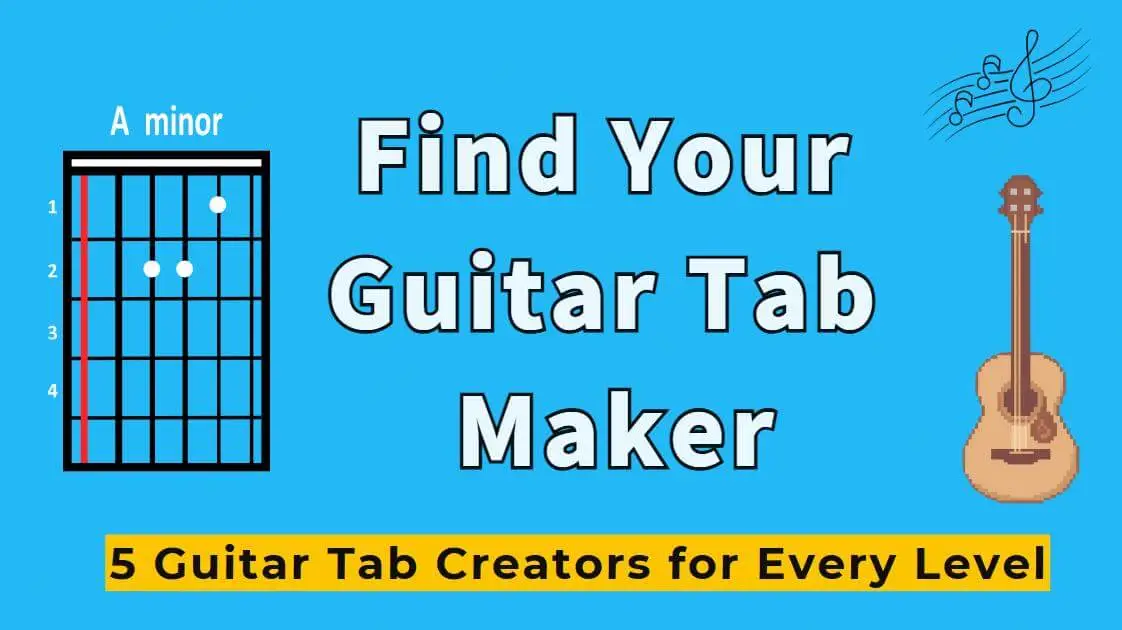
Whether you're a guitar beginner or a professional musician creating complex arrangements, a good guitar tab maker can make your creative process much more efficient.
As someone who has played guitar for many years, I've used many guitar tab creators. Next, I'll introduce 5 truly useful tools to help you make guitar tabs, from 3 dimensions: free and easy-to-use, advanced and professional, and collaboration features.
Introduction
- Part 1. What Is a Guitar Tab Maker & What Should It Do?
- Part 2. 5 Guitar Tab Creators for Every Need
- 2.1 Tabinator (Free)
- 2.2 Guitar Tab Creator (Simple Online)
- 2.3 Guitar Pro (Professional)
- 2.4 Soundslice (Advanced Interactive)
- 2.5 Chordly (Real-Time Collaborative)
- Part 3. Quick Comparison of Guitar Tab Maker
- Part 4. Go Beyond Tabs: Create Your Own Guitar Music with Tunesona
- Part 5. FAQs About Guitar Tab Maker
Part 1. What Is a Guitar Tab Maker & What Should It Do?
1. What is a Guitar Tab Maker?
Guitar tab is a simplified notation method designed specifically for guitarists. Unlike traditional staff notation, tab uses 6 horizontal lines to represent the 6 strings of the guitar and numbers to indicate which fret to press. It's easy to understand without any music theory knowledge.
Guitar tab maker is a tool that helps you create these tabs. You can use it to record melodies, impromptu playing, or transcription results, then save, print, or share them with others.
2. What features should a good Guitar Tab Maker have?
After using numerous guitar tab creators, I've summarized the following core features:
Intuitive input methods. Whether keyboard entry, clicking a virtual fretboard, or MIDI input, the more straightforward the note entry, the better.
Support for guitar techniques. Professional tabs needannotate various playing techniques like Hammer-on (h), Pull-off (p), Bend (b).
Rhythm notation. Good tabs mark not just frets but also rhythm.
Flexible export options. Supports PDF for printing, MIDI for further production, and formats like MusicXML or GuitarPro for advanced editing.
Playback function. Play back your created tab to hear the actual sound and spot errors quickly.
Collaboration and sharing. Easily share tabs with others or collaborate in real-time with team members.
Part 2. 5 Guitar Tab Creators for Every Need
1 Tabinator (Free)
Site: https://tabinator.com/en/
Tabinator is the simplest free guitar tab maker I've ever seen. Open the website, add or remove virtual fretboards using the left panel, then click on the grid on the virtual fretboard, and the tabs appear.
It's that easy. No complicated settings, no shortcuts to learn, making it suitable for anyone to use immediately.

The first time I used it, I created a simple riff in under 5 minutes, without needing any tutorials.
- Simply open the website to use without registration.
- Simple and intuitive interface, easy to learn.
- Supports importing Guitar Pro files and editing directly online.
- Completely free, no hidden fees.
- Suitable for
- Guitar beginners.
- Musicians who need to quickly capture inspiration.
2 Guitar Tab Creator (Simple Online)
Site: https://www.guitartabcreator.com/
Guitar Tab Creator is a slightly more feature-rich online guitar tab maker. It adds basic technical notation support to its user-friendly interface, making your tabs more complete.
I've used it to make a few teaching tabs and found its layout features better than Tabinator. You can control the number of bars per line, making printed tabs neater.

For users seeking a free tool with more functionality, Guitar Tab Creator is an excellent choice.
- Supports basic technique symbols.
- Controllable layout and number of measures per line.
- Easily input and edit notes via a visual fretboard.
- Supports various chordal instruments such as bass and ukulele.
- Suitable for
- Guitar teachers who need to create simple teaching tabs.
- Users who want a free tool with relatively rich features.
3 Guitar Pro (Professional)
Site: https://www.guitar-pro.com/
Guitar Pro is the standard in guitar tab creation. If you've ever downloaded tabs online, they're most likely in Guitar Pro format (.gp5 or .gpx).
It supports annotations for almost all guitar playing techniques, has a built-in high-quality RSE sound library, and the playback sound is very close to the real guitar sound.
I've used Guitar Pro to create complete band arrangements, and the whole process was very smooth. Its multi-track system is very powerful.

The only barrier is the price. The full version requires a one-time purchase (approximately $69.95). But for professional use, this investment is completely worthwhile.
- Industry-standard format.
- Supports all guitar playing technique symbols.
- Built-in high-quality RSE sound library.
- Comprehensive export formats, such as PDF, MIDI, MusicXML, etc.
- Large online tab community.
- Suitable for
- Professional guitarists.
- Music teachers.
- Users who need to create professional-grade tabs.
4 Soundslice (Advanced Interactive)
Site: https://www.soundslice.com/
Soundslice is a revolutionary online guitar tab maker. Its biggest feature is the ability to sync tabs with actual audio/video. You can upload the MP3, create tabs, and the two will sync perfectly.
When a student plays a tab, the highlighted marker moves in real-time with the music. This interactive playback feature is ideal for teaching purposes.

It has a free version and a paid subscription, offering great value for users who need to create educational content.
- Tab is sync with audio/video in real time.
- Click a note to go to that moment of the video.
- Provides a fully functional sheet music and fingering editor.
- Supports variable speed playback.
- Easily share via links.
- Suitable for
- Guitar teachers.
- Educators creating online courses.
- Content creators who need interactive tabs.
5 Chordly (Real-Time Collaborative)
Site: https://chordly.io/
Chordly is an online guitar tab maker focused on real-time collaboration. Like Google Docs, it allows multiple people to edit the same tab simultaneously and see each other's changes in real time.
I used Chordly with a guitarist to create guitar tabs for several songs, and the entire collaboration process was incredibly smooth. We could edit the same document simultaneously and discuss changes using the built-in comment function, eliminating the need for back-and-forth emails.

- Powerful real-time multi-user collaborative editing capabilities.
- Fast, visual chord charts with lyrics.
- Drag and drop chords directly onto lyrics in a custom editor.
- Clean and modern interface.
- Suitable for
- Band members collaborating remotely.
- Guitar teachers interacting with students.
- Users who need to collaborate as a team to create teaching materials.
Part 3. Quick Comparison of Guitar Tab Maker
To help you choose the right guitar tab maker, here is a detailed comparison of 5 tools:
| Tool | Ease of use | Device | Playback feature | Price |
|---|---|---|---|---|
| Tabinator | ⭐⭐⭐⭐⭐ | Online | ✅ | Free |
| Guitar Tab Creator | ⭐⭐⭐⭐⭐ | Online | ❌ | Free |
| Guitar Pro | ⭐⭐⭐ | Windows、Mac | ❌ | One-time purchase $69.95 |
| Soundslice | ⭐⭐⭐⭐ | Online | ✅ | Free + Subscription |
| Chordly | ⭐⭐⭐⭐ | Online | ✅ | Free + Subscription |
Part 4. Go Beyond Tabs: Create Your Own Guitar Music with Tunesona
Making guitar tabs is a way to record music, but if you want to go further and create complete guitar music, Tunesona is a great tool.
Tunesona is an AI music agent designed for interactive music creation. Instead of generating isolated audio clips, it focuses on a conversational workflow that allows users to create, refine, and iterate on guitar solos, riffs, and full songs through dialogue.

Tunesona stands out as an excellent guitar song creator because it supports continuous iteration. You can start with a rough improvisational idea and gradually develop it into a complete piece.
Importantly, you don't need to know music theory or arranging, simply chat with Tunesona like a friend.
- Support for riffs, solos, beats, and complete song structures.
- Suitable for beginners and experienced producers.
- Create guitar track from acoustic fingerstyle to heavy metal riff.
- Edit rhythms and styles via chat.
- Provide free credits for creating guitar music.
- Flexible export formats (MP3, WAV, MIDI, Sheet).
How to create your guitar track with Tunesona?
Step 1 Describe Your Idea. Enter a short prompt describing the style, mood, or tempo of the guitar riff or solo you want.
Step 2 Generate the Guitar Riff. Let the AI guitar solo generator create an initial riff or solo in seconds.

Step 3 Refine the Sound. Ask the AI to adjust elements like melody, rhythm, intensity, or genre until it sounds right.
Step 4 Expand the Track. Turn the riff into a beat, solo section, or full song arrangement.

Step 5 Export Your Guitar Track. Download the result or continue refining it for your project.

Part 5. FAQs About Guitar Tab Maker
1 Is there a free guitar tab maker?
Yes. Tabinator and Guitar Tab Maker are both completely free. Soundslice and Chordly also have free versions.
2 Is there a Guitar Tab generator?
Yes, there are many tools that can be used to generate guitar tabs. For example, TabbyPro.
3 What's the difference between guitar tab and sheet music?
Tab uses 6 horizontal lines to represent 6 strings, and numbers to represent frets. Sheet music records pitch and rhythm, providing more complete information but requiring some learning to understand.
4 Can I transfer files between different guitar tab makers?
Yes, but it depends on format compatibility. Guitar Pro format is the industry standard, while MusicXML and MIDI formats have the widest compatibility.
Conclusion
Finding the right guitar tab maker isn't difficult, the key is understanding what you really need.
But if you’re not just looking to write tabs and instead want to create your own guitar music, give Tunesona a try. Describe the style you want, and you can have an original guitar piece in minutes.
Now go pick a guitar tab creator and start to make your own guitar tabs!