Listen to the 8-bit song created by Tunesona!

Have you ever played chiptune games? 8 bit music generator can help you easily create those iconic pixel music effects.
Below, I'll introduce 3 top 8 bit music makers and teach you how to make 8 bit music quickly. Whether you're a game developer, content creator, or simply a retro music enthusiast, you'll find a tool that suits you.
Ready to create your 8-bit music? Let's begin!
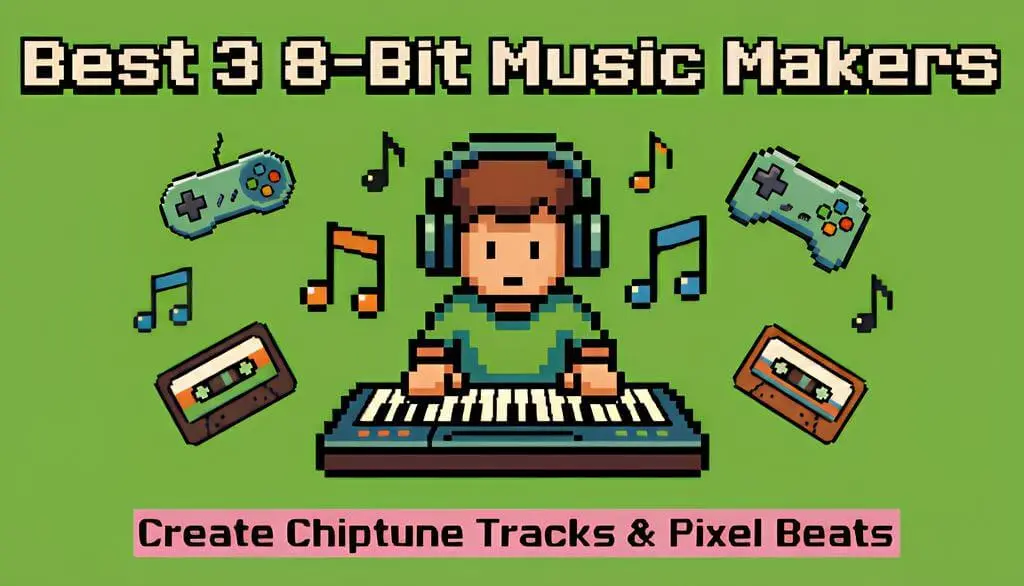
Part 1. Best 8 Bit Music Generator to Make Chiptune Game Tracks [Free]
If you're looking for a tool to generate 8-bit music online without complicated setup, then Tunesona is a highly recommended 8 bit music generator.
Tunesona - Make 8 Bit Music via Chat
It's not a traditional chiptune editor that requires manual note-typing, instead, it's an AI music agent that understands your creative intent and give your song ideas.
It simplifies the complex process of 8-bit music production into a conversational creation, while allowing you to use lyrics and audio to create retro pixel music.

- Supports classic NES/Game Boy style tracks.
- Generates 8-bit music through dialogue, lyrics input, or uploading audio.
- Outputs high-quality retro game music effects, such as square wave melodies and low-frequency bass.
- Freely adjusts music style, rhythm, and mood.
- AI-driven 8 bit music generator, beginner-friendly.
- Suitable for various uses including retro game music, pixel videos, and 8-bit music practice.
How to Make 8 Bit Music with Tunesona?
Here are 3 methods to help you create authentic 8-bit or chiptune music.
Method 1: Create through dialogue
Step 1 Visit Tunesona and get free creation credits.
Step 2 Enter your ideas in the chat box. You can describe in detail the retro game style, rhythm, and mood you want. If you don't have any thoughts, Tunesona can recommend some for you.
If you just want to create pure chip sound, select "Create instrumental".

Step 3 Choose your preferred creative direction. Select the one that best matches your ideas from the 3 directions recommended by Tunesona.

Step 4 Preview the generated music. If you have already entered a specific description, Tunesona will directly generate 2 different 8-bit tracks for you.
Step 5 Export and share. You can export high-quality MP3, WAV, and MIDI files, perfect for further mixing. Or share your own link.

Method 2: Precise Control Using Custom Mode
Select Custom mode, paste the prepared lyrics, enter a detailed 8-bit music description, and select Vocal.
You can select the Random button to get a randomly generated description. You can also click the clover-shaped button to add tags as needed.

Method 3: Upload Audio
Step 1 Upload or select audio. You can upload a prepared 8-bit track or choose from a retro game music library generated by Tunesona.

Step 2 Select Reference or Extend. Enter a description in the box, and Tunesona will generate a matching 8-bit beat and melody based on the corresponding function and the input.
Listen to Chiptune Music created by Tunesona!
Part 2. Other 8 Bit Music Makers Worth Trying
Tunesona can help you quickly generate professional 8-bit music, but if you want to try more different creative methods, there are some other good 8 bit music makers.
1 8-Bit Composer
Site: https://www.8bitcomposer.com/
8-Bit Composer is an 8 bit music creator designed specifically for retro game music. You can manually compose 8-bit style melodies and rhythms using a classic note editor.
It emulates the sound chips of classic game consoles like the NES and Game Boy, allowing you to create truly retro 8-bit music.

- Intuitive grid interface for ease to use.
- Generate unique retro soundtracks using AI.
- Realistic waveforms and filters recreate classic retro game sound effects.
- Create, edit, export, and share your work for free.
- Download as a WAV file or share instantly via a dedicated link.
- Suitable for
- Game developers.
- Retro music lovers.
- Creators who want precise control over notes.
- Highly faithful reproduction of classic sound.
- High degree of creative freedom.
- Supports multi-track editing.
- Requires musical background.
- Not suitable for rapid creation.
- The learning curve is relatively steep.
2 Scratch
Site: https://scratch.mit.edu/projects/87829696/remixes/
Scratch is a visual programming platform that can also be used to create 8-bit music.
You can use various interactive creation tools created by users on the 8-Bit Music Maker project to make 8-bit style sound effects and music by dragging and dropping code blocks.
Through this online project, you can not only experience the production process of pixel music, but also observe, edit, and remix other people's works.

- Visual drag-and-drop interface, no programming knowledge required.
- Built-in 8-bit style sound effects library.
- Suitable for use in animation and game projects.
- Supports remixing and secondary creation.
- Rich community resources.
- Suitable for
- Beginners or educators.
- Music Enlightenment Students.
- Creators who want to learn programming while making music.
- Free to use, low barrier.
- Learning-friendly.
- Many reference examples.
- Limited precision in music control.
- Lower creative efficiency.
- Functionality depends on the original project design.
Part 3. What Is 8-Bit Music?
8-bit music is a genre of music created using early game consoles and computer audio chips. It originated from classic game consoles of the 1980s, such as the Nintendo NES, Sega Master System, and Game Boy.
The audio chips could only process simple waveforms and limited tracks, thus producing that unique pixel sound effect.
Characteristics of 8-bit music:
Simple waveforms: Uses square waves, triangle waves, and noise waveforms.
Limited tracks: Typically only 3-4 channels.
Bright and crisp timbre: With a distinct electronic and retro gaming feel.
Highly repetitive melodies: Short, concise, and easy to remember.
Today, 8-bit music is no longer limited to the gaming industry. It has become a unique musical style widely used in indie games, YouTube videos, electronic music, and retro-themed creations.
Part 4. FAQs About 8 Bit Music Maker
1 Can beginners use an 8-bit music maker?
8 bit music maker like Tunesona are perfect for beginners. You simply describe the music style you want, and the AI will automatically generate 8-bit tracks.
2 What makes good 8-bit music?
Simple, memorable melodies, a brisk and powerful rhythm, a bright and crisp tone, and appropriate repetition. Most importantly, it should capture that retro gaming feel, instantly reminding listeners of classic old games.
3 How to make 8-bit music online for free?
You can use Tunesona's free credits to generate 8-bit music, or use completely free 8 bit music makers like 8-Bit Composer and Scratch. These are all convenient 8 bit music makers online.
4 Can I use 8-bit music for my game or video?
Yes! But remember to check the copyright and usage license to ensure you have the right to use it.
Conclusion
Creating 8-bit music with an 8 bit music creator is easier than you think!
If you want to quickly generate high-quality 8-bit music, an 8 bit music generator like Tunesona is the perfect choice. With just a simple description, AI can help you create professional retro game music.
Now that you know how to make 8 bit music, choose an 8-bit music maker that suits you and start creating your chiptune tracks!